What It Does
VoiceOpsISR turns speech into text across macOS, inserts results into the active app, and can transcribe existing audio or video files when live dictation is not the right workflow.
VoiceOpsISR · Coming Soon
VoiceOpsISR is a local-first macOS dictation app that records speech, transcribes it on the Mac, and inserts the result into the app where you are already working. Optional AI cleanup, custom vocabulary, and file transcription add power without turning the core workflow into a cloud dependency.
Local-first dictation
Start from a mouse button or keyboard trigger, speak into any text field, and let VoiceOpsISR deliver the transcription directly into the focused app. The Ops Center keeps the active engine, trigger, readiness, and usage visible.

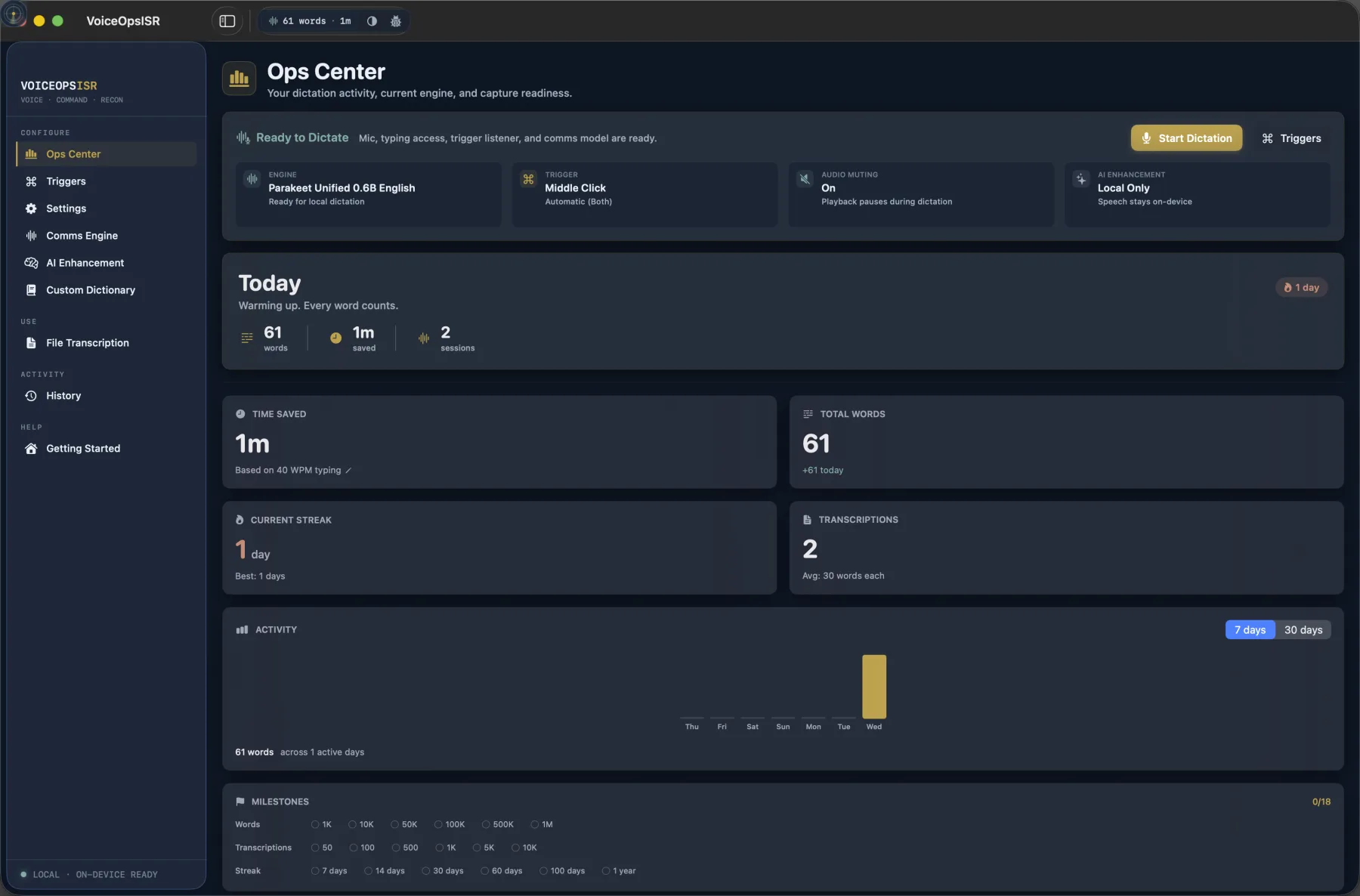
VoiceOpsISR turns speech into text across macOS, inserts results into the active app, and can transcribe existing audio or video files when live dictation is not the right workflow.
Speech recognition runs on the Mac. History, custom vocabulary, and optional saved audio remain under the user's control, with privacy and retention settings grouped in the app.
The raw local transcription can be delivered first, then reviewed against an optional cleaned version. Cleanup can use VoiceOpsISR's local MLX path or a cloud provider configured by the user.
Writers, editors, engineers, researchers, and creative operators who move between email, documents, production tools, and technical apps—and want fast dictation without giving up control of the workflow.
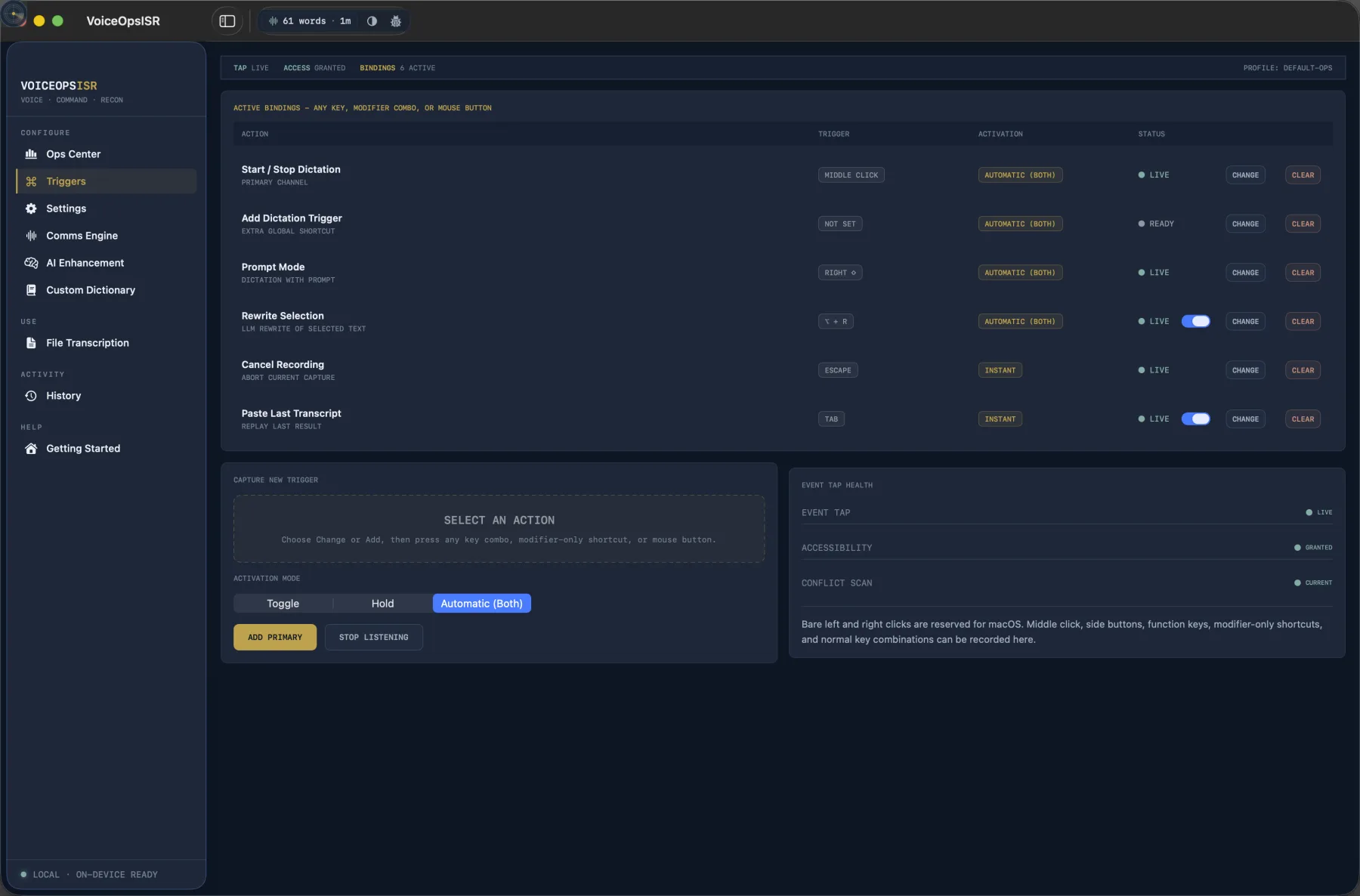
Triggers
Assign a mouse button, key combination, function key, or modifier-only shortcut. Toggle, hold, and automatic activation modes support quick notes as well as longer dictation sessions.
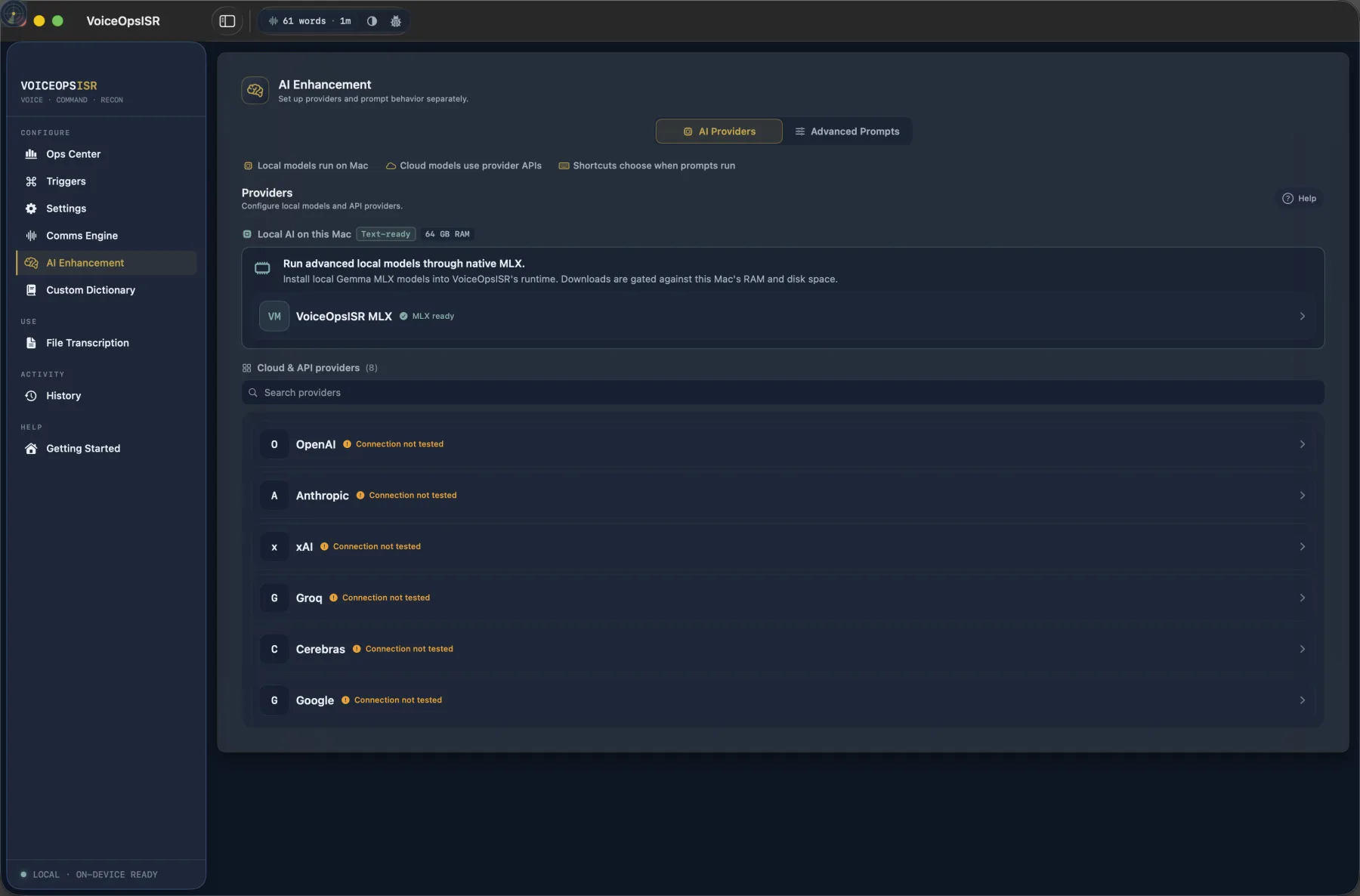
AI Enhancement
Keep cleanup local through the managed MLX runtime, connect a preferred cloud provider, or leave enhancement off. The fast transcription remains useful on its own.
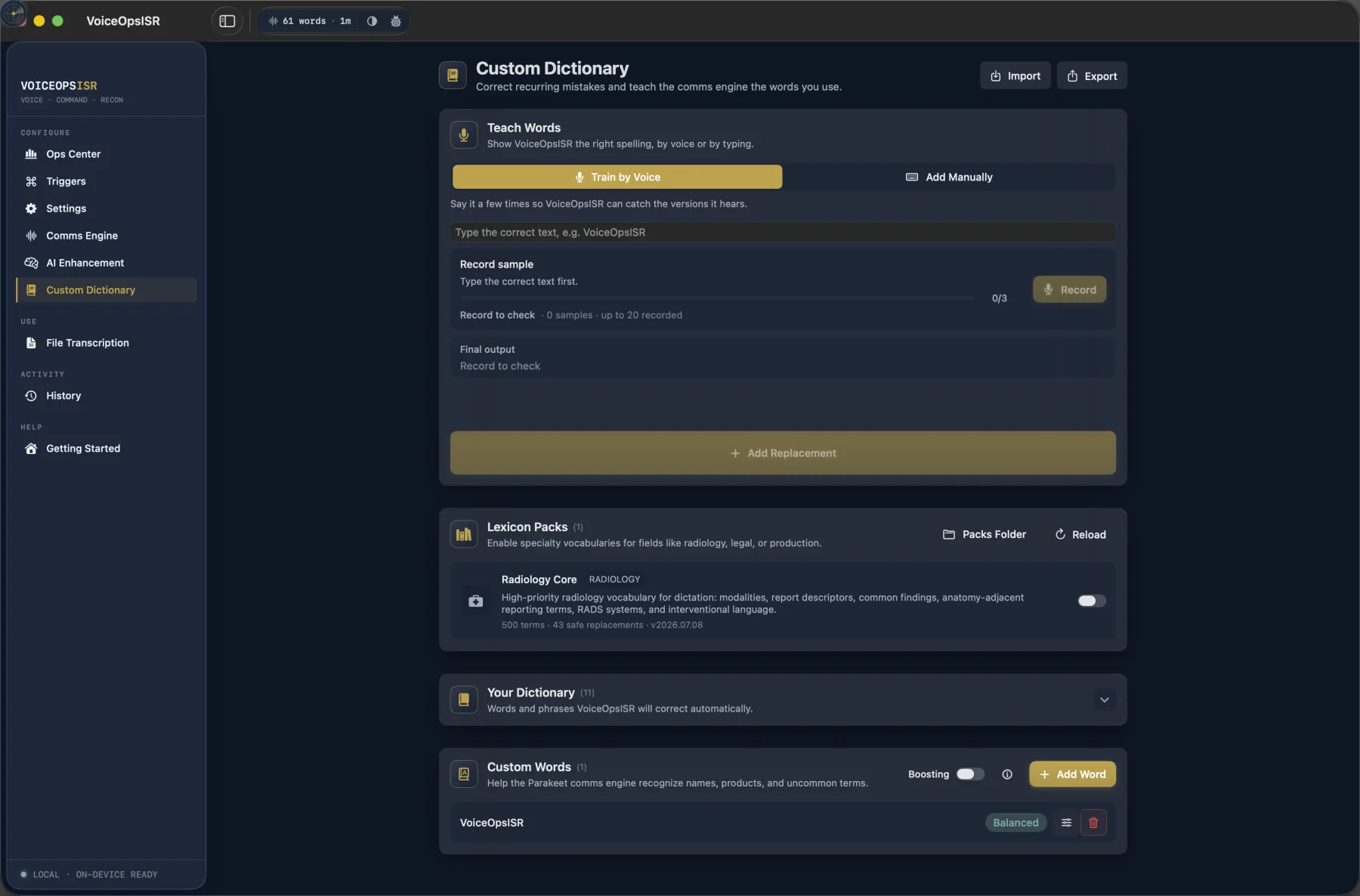
Custom Vocabulary
Train recurring corrections, add names and acronyms, and enable specialty lexicon packs for terminology that general-purpose dictation systems often miss.
VoiceOpsISR is in active development. Final system requirements, pricing, and purchase options will be announced when the app is ready for release.
The appearance of U.S. Department of War (DoW) visual information does not imply or constitute DoW endorsement.