Create From Scratch
Define the scene, composition, camera intent, style, and exclusions in a structured workspace designed to keep the original brief visible as the image develops.
PromptReconISR · Coming Soon
PromptReconISR is a macOS creative workbench for building an image from scratch, guiding generation with representative images, or modifying an existing image. Every project keeps its prompt, references, analysis, edits, versions, and cost history together.
One creative record
Create from scratch, create from up to five representative images, or import an existing image to inspect and modify. PromptReconISR keeps each route inside the same versioned workspace instead of scattering the creative intent across disconnected prompts and files.
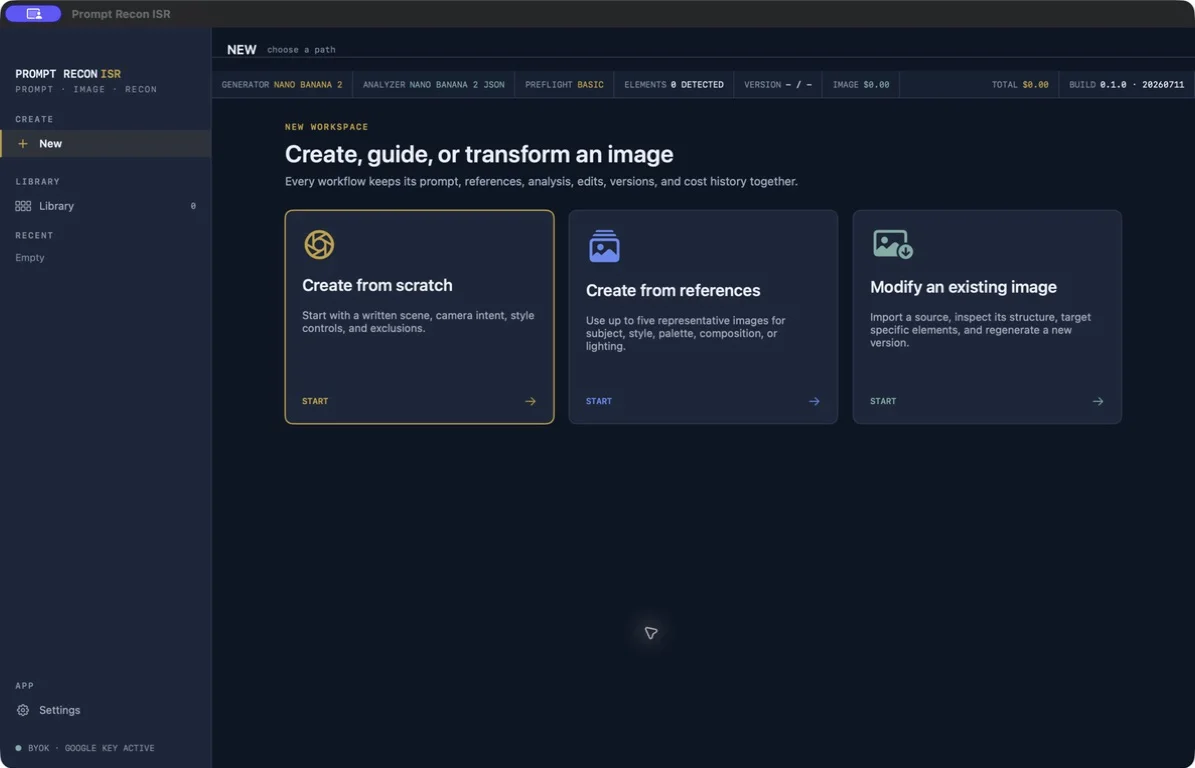
Define the scene, composition, camera intent, style, and exclusions in a structured workspace designed to keep the original brief visible as the image develops.
Add up to five representative images, then assign what each should contribute, set its priority, add an instruction, and choose one Anchor when a reference should carry extra weight.
Import an image into the local project library, inspect its structure, target a specific element or area, and review the proposed change before generating a new version.
Prompts, references, analysis, edits, versions, Anchors, and cost history stay attached to the project so the reasoning behind an image is not lost after the first result.
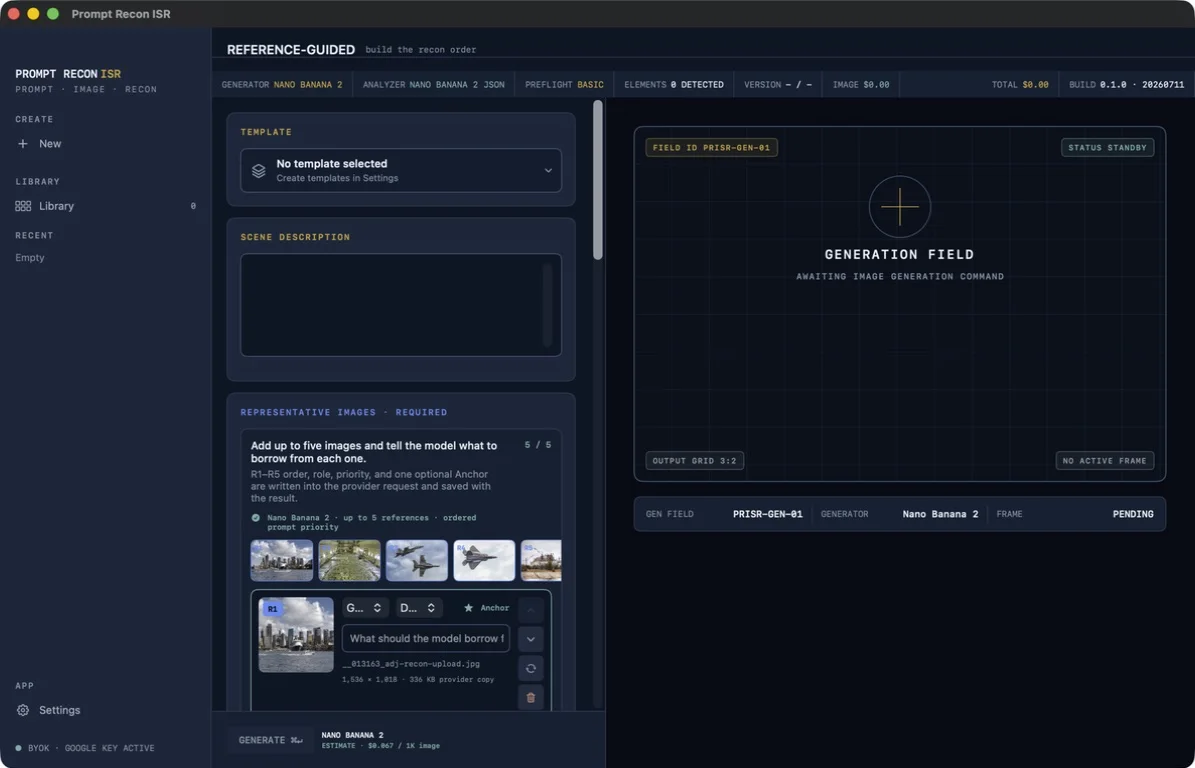
Reference-Guided Creation
References are an explicit creative contract—not an unlabeled pile of attachments. Their order, role, priority, instruction, and source details are saved with the generated version.
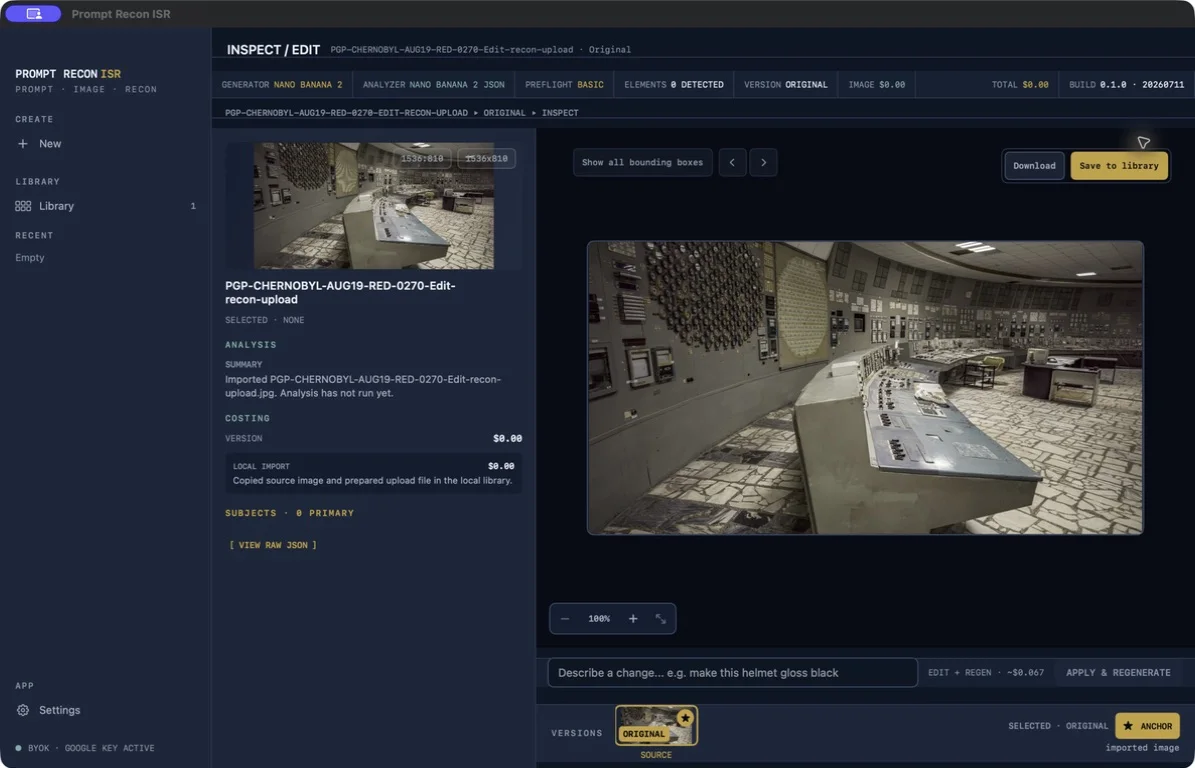
Inspect / Edit
Review analysis, select a version, set an Anchor, target a detected element, and stage a regeneration while keeping the image, provenance, and estimated cost in view.
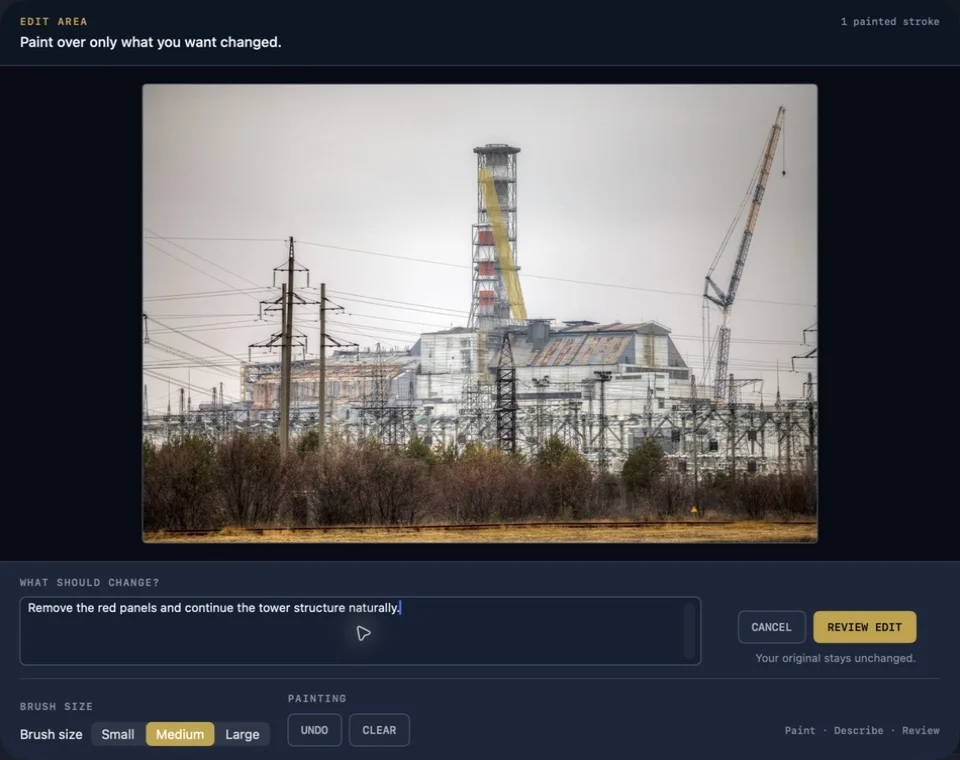
Edit Area
A deliberately small Paint → Describe → Review flow lets you mark one area, explain the change, and inspect the request before a new version is created. The original remains unchanged.
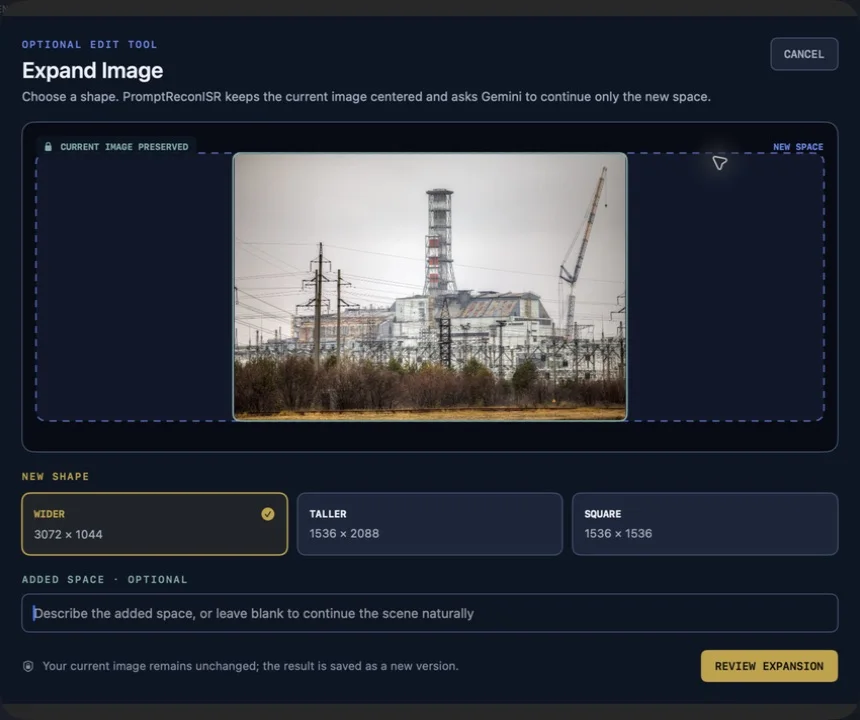
Expand Image
Choose Wider, Taller, or Square, optionally describe the added space, and review the expansion before generating. PromptReconISR keeps the current image centered and preserves it in the new version.
PromptReconISR is in active development. Final system requirements, supported providers, pricing, and purchase options will be announced when the app is ready for release.